See where the space went
DiskScout draws the drive as a map. Each block is a folder or file, sized by the space it uses and colored by type.
A small Windows tool that shows where your disk space went, finds duplicate files by their contents, and deletes carefully.
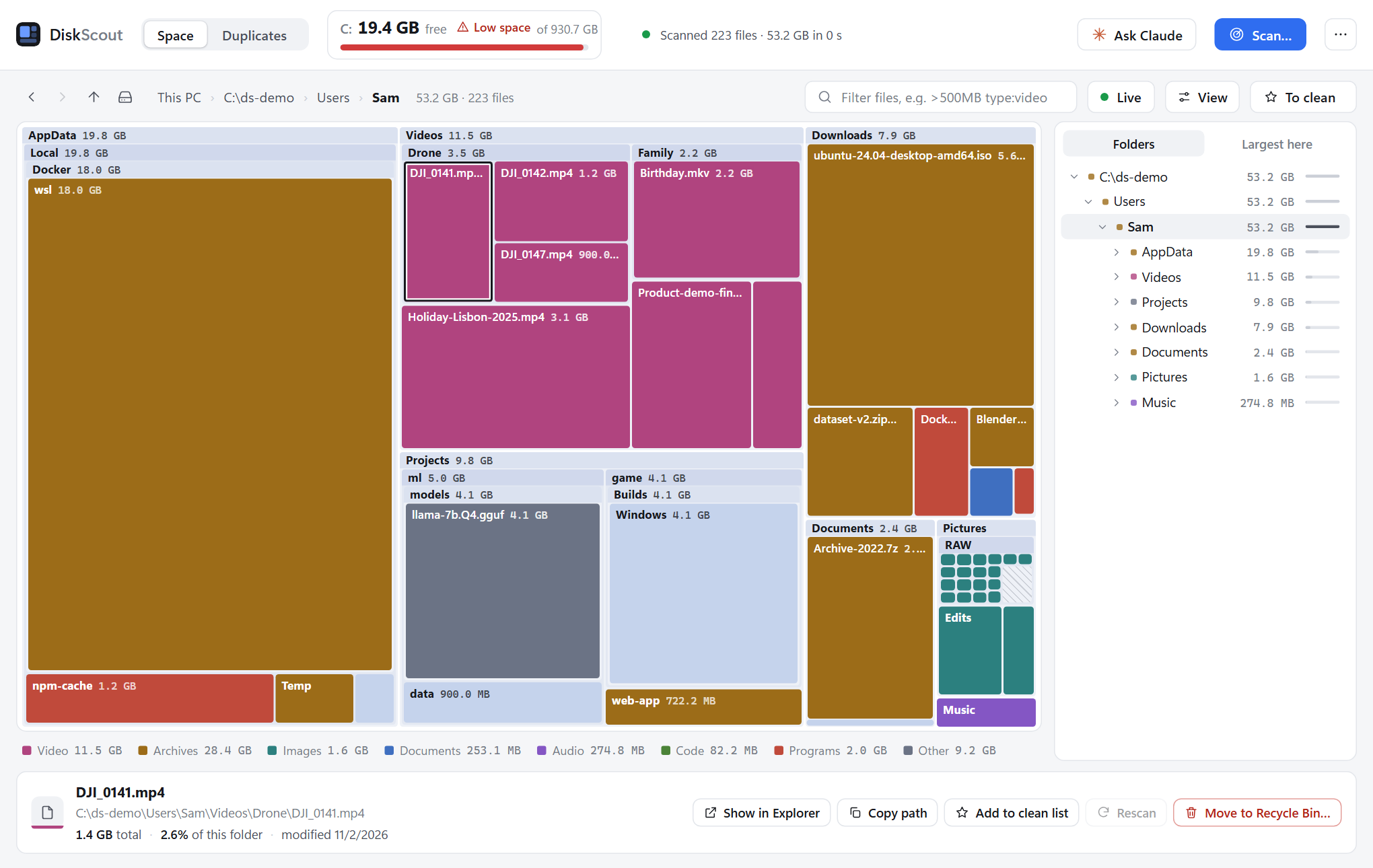
DiskScout draws the drive as a map. Each block is a folder or file, sized by the space it uses and colored by type.
Narrow the map down to what you are looking for, for example video files over 500 MB.
Duplicates are found by comparing file contents, not names. DiskScout lists the identical files so you can check them yourself.
Files go to the Recycle Bin by default. Each one is compared byte for byte with a copy that stays, and the last copy is not removed unless you explicitly say so.
An optional panel works with your own Claude installation. Anything it wants to delete or run waits for your approval.
One portable .exe, written in Go with no third-party code. MIT licensed, and contributions are welcome.
Keep backups of anything you cannot afford to lose before you clean up a drive. DiskScout is provided as is, without warranty, under the MIT License.
The .exe is not code-signed, so Windows SmartScreen may warn the first time you run it. You can compare the file with the SHA-256 checksum published with the release.
83c29c1ae2ca979cea3da337daad3f2e35cf952b7ef2dae02a6351640b316895In PowerShell, run Get-FileHash .\DiskScout-1.8.0.exe and compare the result. Newer releases list their own checksum on the release page.
DiskScout is a separate project and is not affiliated with SpaceSniffer. It is an open-source tool built by the AgentRuntime team and is not part of the AgentRuntime product. More from Labs