Building a Customer Support Automation with AgentRuntime
Customer support is one of the highest-ROI applications for AI agent workflows. The volume is high, the queries are repetitive enough for automation to add real value, but the stakes are high enough that you want humans in the loop for anything sensitive.
This post walks through how to build a production-grade customer support workflow on AgentRuntime — one that handles the common cases automatically and routes the edge cases to human agents with full context.
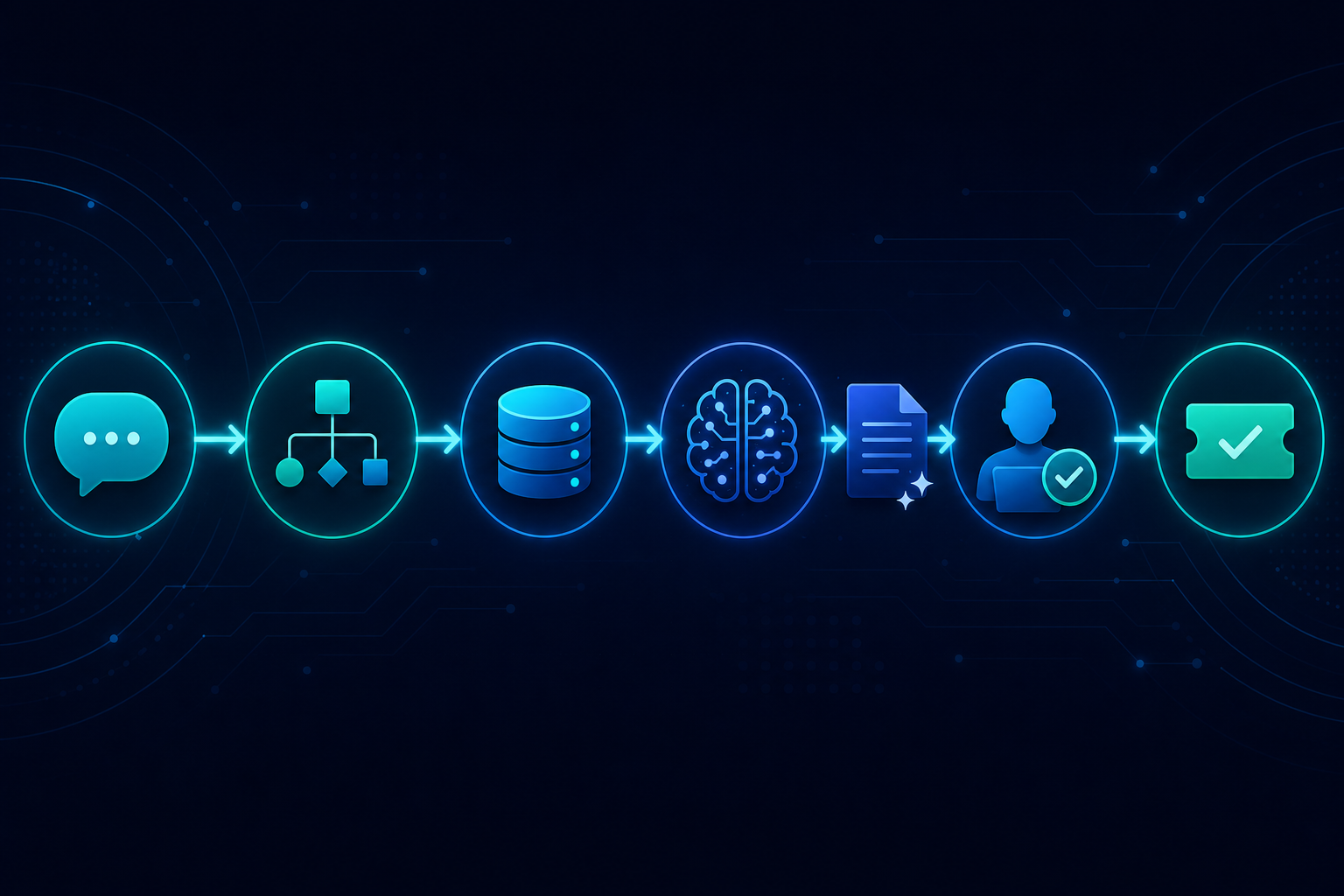
The workflow we are building
Goal: Take an inbound support ticket, classify it, attempt automated resolution for common issues, and route complex cases to a human agent with a pre-filled draft.
Steps:
- Classify the ticket (LLM)
- Fetch customer context (MCP → CRM tool)
- Attempt automated resolution for known issue types
- If automated resolution is possible: draft response (LLM) → human review → send
- If not: escalate to human agent with full context and draft
Step 1: Define the workflow as a DAG
{
  "id": "customer-support-v1",
  "steps": [
    {
      "id": "classify",
      "type": "llm_call",
      "model": "gpt-4o",
      "prompt": "Classify this support ticket into one of: billing, technical, account, general.\nTicket: {{input.ticket_body}}\nRespond with JSON: {\"category\": \"...\", \"urgency\": \"low|medium|high\", \"summary\": \"...\"}"
    },
    {
      "id": "fetch-customer",
      "type": "mcp_call",
      "tool": "crm.get_customer",
      "inputs": { "email": "{{input.customer_email}}" }
    },
    {
      "id": "route",
      "type": "condition",
      "condition": "{{steps.classify.result.category}} in ['billing', 'technical']",
      "on_true": "draft-resolution",
      "on_false": "escalate"
    },
    {
      "id": "draft-resolution",
      "type": "llm_call",
      "model": "gpt-4o",
      "prompt": "Draft a support response for this {{steps.classify.result.category}} issue.\nCustomer: {{steps.fetch-customer.result.name}}, plan: {{steps.fetch-customer.result.plan}}\nIssue: {{steps.classify.result.summary}}"
    },
    {
      "id": "review-draft",
      "type": "human_task",
      "prompt": "Review and approve this support response before it is sent.",
      "context": {
        "draft": "{{steps.draft-resolution.result}}",
        "customer": "{{steps.fetch-customer.result}}",
        "classification": "{{steps.classify.result}}"
      },
      "timeout_hours": 4,
      "on_timeout": "escalate"
    },
    {
      "id": "send-response",
      "type": "mcp_call",
      "tool": "email.send",
      "inputs": {
        "to": "{{input.customer_email}}",
        "body": "{{steps.draft-resolution.result}}"
      }
    },
    {
      "id": "escalate",
      "type": "mcp_call",
      "tool": "helpdesk.create_ticket",
      "inputs": {
        "customer_email": "{{input.customer_email}}",
        "summary": "{{steps.classify.result.summary}}",
        "urgency": "{{steps.classify.result.urgency}}",
        "context": "{{steps.fetch-customer.result}}"
      }
    }
  ]
}
What each step does in practice
Classify: The LLM reads the ticket body and returns structured JSON — category, urgency, and a one-sentence summary. Using structured output means the downstream condition step can reliably access steps.classify.result.category.
Fetch customer: The CRM tool is registered as an MCP server. The runtime fetches the CRM credentials from Vault, calls the tool with the customer's email, and makes the full customer record available to downstream steps via {{steps.fetch-customer.result}}.
Route: A condition step that evaluates whether the issue is one the system can handle automatically. Billing and technical issues have enough known patterns for a draft. General account issues go straight to escalation.
Draft resolution: Another LLM call, but now with customer context from the CRM. The draft is personalised — it knows the customer's name and plan tier — and focused on the specific issue type.
Review draft: A human_task step. The workflow suspends here. A support agent is notified that there is a draft pending review. They see the draft, the customer record, and the classification, approve or edit and approve, and the workflow continues. If nobody reviews within 4 hours, the workflow routes to escalation instead.
Send or escalate: Either the approved response goes out via the email MCP tool, or the ticket is created in the helpdesk system with all collected context pre-filled.
What you get for free from the runtime
- Every run is traced end-to-end. You can see exactly what the LLM produced at each step for any historical ticket.
- The CRM and email credentials never appear in the workflow definition.
- If the process crashes mid-run — between
fetch-customerandroute, for example — the run resumes from that point, not from the beginning. - If the email tool is temporarily unavailable, the call is retried with backoff.
- The human review step has a full audit trail: who reviewed, what decision they made, when.
The result
A workflow like this typically handles 70–80% of inbound tickets automatically, with the remainder routed to humans with enough context that resolution time is significantly shorter than a cold ticket. The human review gate on automated responses means the automated rate can increase over time as the team becomes confident in the draft quality.
The business case is straightforward: faster response times, lower cost per ticket, and a human review layer that keeps quality high and provides the audit trail compliance teams require.
This workflow is deployable on AgentRuntime today. See the API documentation for the full workflow schema reference, or join the waitlist to get access.